
Game Development for Children: What Every Parent Needs to Know in 2026
Your child has been playing the same Minecraft world for six months. They know every mob, every crafting recipe, every redstone trick. They can explain game…
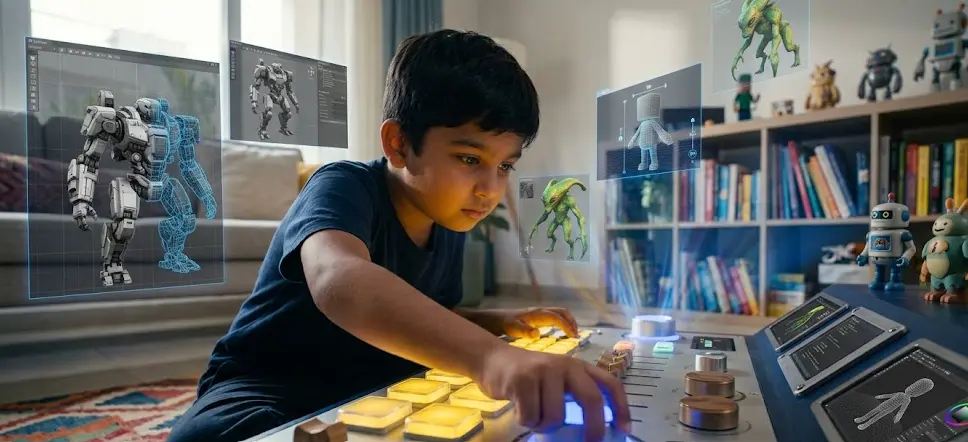
Your child has been playing the same Minecraft world for six months. They know every mob, every crafting recipe, every redstone trick. They can explain game mechanics to you with the confidence of a university lecturer. And every single time you walk past, the same thought crosses your mind.
What if all of that energy went into building something?
Here is the thing most parents do not realise. The child who is obsessed with games is not wasting time. They are already thinking like a game developer. They are analysing systems, testing cause and effect, solving problems, and creating mental models of how interactive worlds work. The only step missing is handing them the tools to build those worlds themselves.
That step is game development. And in 2026, it is one of the most powerful and practical skills a child between the ages of 6 and 14 can learn.
This guide covers everything you need to know as a parent. What game development actually is for children, what your child will build and when, what skills they genuinely gain, how it works across different age groups, what to look for in a class or programme, and the questions every parent asks before getting started.
What Game Development for Children Actually Means
When most parents hear “game development,” they picture a professional game studio with dozens of engineers and millions of dollars of equipment. That is the end of the road. The beginning looks completely different, and it is far more accessible than you think.
Game development for children means teaching a child to design, build, and publish their own working games using age-appropriate tools and programming languages. A 7-year-old builds a simple animated story in Scratch where a cat chases a mouse. A 10-year-old builds a platform game with levels, scoring, and sound effects. A 13-year-old builds a multiplayer game in Python or begins exploring Unity for 3D game design.
At every stage, the child is doing the real thing. Not a simulation of it. Not a worksheet about it. They are writing actual code, making actual design decisions, fixing actual bugs, and producing an actual game that works and can be shared.
That is the magic of game development as an educational tool. The output is visible, playable, and shareable. When a child finishes a maths worksheet, they get a mark out of ten. When a child finishes building their first game, they get something they can show their friends at school on Monday. That difference in motivation is everything.
Why Game Development Is the Best Entry Point Into Coding
There are many ways to introduce children to coding. You can start with web development, app building, robotics, or pure programming logic. All of them have merit. But game development has one quality that the others do not: every child, without exception, understands what the goal is.
A child learning to build a website might not be sure what success looks like until the website is finished. A child learning to build a game knows exactly what success looks like from day one. The character should jump when you press space. The enemy should move. The score should go up when you collect a coin. The finish line should trigger the win screen.
This clarity of goal is what makes game development the fastest path to deep engagement in coding for children. The feedback is immediate and visual. When the code works, something moves on screen. When it does not work, nothing moves, and the child knows exactly what to fix. This loop of try, fail, fix, succeed is not just good for learning to code. It is one of the most powerful problem-solving frameworks a child can internalise before they are ten years old.
Research consistently shows that children who learn coding through game development have higher completion rates, higher engagement scores, and more positive attitudes toward further STEM learning than children who learn coding through any other entry point. The reason is simple. They are motivated by the output in a way that no other coding subject matches.
What Your Child Actually Builds, Step by Step
This is the question parents ask most often, and it is the right question. Before you invest time and money into any learning programme, you should know exactly what your child will have to show for it.
Here is a realistic picture of what children build at ForSyntax across different stages, using a live 1:1 approach where the teacher guides every session and the child builds from the very first week.
Ages 6 to 8, first month: A child in this age group begins with Scratch, the visual block-based programming language developed by MIT that is used in over 150 countries as the global standard for children’s coding education. In the first session, they build an animated character that moves across the screen. By week two, they add basic controls. By week four, they have a working simple game where a character they designed themselves can be controlled by keyboard and interacts with objects on the screen. It is not complex. It is completely real. And the pride on a 7-year-old’s face when they show their parents a game they built is not something you easily forget.
Ages 6 to 8, by month three: By the end of three months, a child in this age group has typically built three or four different mini-games in Scratch. A chasing game. A simple quiz game where right answers trigger animations. A short story game with branching choices. They are beginning to understand what loops and conditions are, not as abstract concepts with names, but as tools they use to make their game work the way they want.
Ages 9 to 11, first month: Children in this age group move faster and can often absorb more complexity. If they are starting fresh in Scratch, they reach the interactive game stage in week two rather than week four. If they have some prior experience with block coding, they begin transitioning to text-based coding in Python alongside their game building. By the end of month one, a 10-year-old at ForSyntax has typically built a working platform-style game in Scratch with multiple levels, a scoring system, lives, and a sound effect they chose themselves.
Ages 9 to 11, by month three: By month three, children in this group are building more sophisticated games with more complex logic. Enemies that follow a path. Power-ups that change the player’s speed. Randomised level layouts. Some children begin their first Python game project by this point, typically starting with text-based adventure games before moving to simple graphical games. They are also beginning to think about design, not just mechanics. They are making decisions about colours, sounds, difficulty levels, and story the same decisions professional game designers make, scaled to their experience.
Ages 12 to 14, first month: Older beginners can move very quickly once they have the fundamentals. A 12-year-old with no prior coding experience can reach a fully functional original game in Python or begin exploring game engines like Pygame within eight to ten weeks. In the first month, the focus is on understanding programming logic deeply enough to build games that behave exactly as intended, not approximately. By month one’s end, a child in this group has typically built a fully functional Python game with multiple mechanics running simultaneously.
Ages 12 to 14, by month three: Three months in, children in this age group are building games that would have been unrecognisable from what they imagined when they started. Original characters. Custom artwork. Multiple game modes. Score saving. Some begin exploring basic game AI enemies that make simple decisions, environments that change based on player behaviour. This is the stage where children often begin thinking about game development not just as a class but as something they want to pursue seriously.
The Skills Game Development Actually Builds
Here is where parents are sometimes surprised, because the benefits go well beyond what most people expect from a game class.
Problem-solving that transfers to every subject. When a child’s game has a bug, they have to find it. That means reading their own code line by line, testing hypotheses about what might be wrong, making a change, testing again. This is the scientific method, applied to something the child actually cares about. Children who develop this debugging habit at age 9 approach every kind of problem differently. They become less likely to give up when something does not work immediately and more likely to try a systematic approach to finding the solution. Teachers across subjects notice this shift.
Mathematical thinking without the resistance. Variables, coordinates, ratios, probability, geometry game development uses all of these naturally and constantly. A child who cannot tell you what a coordinate plane is in a maths class will happily place sprites on an X-Y axis to make their game look right. A child who struggles with ratios in a textbook will instantly understand why the enemy needs to move at 0.7 of the player’s speed to make the game fair but challenging. The maths is embedded in a context the child is emotionally invested in, which removes the resistance that makes maths hard for so many children.
Creativity with structure. Game development is one of the few activities that requires both creative thinking and precise logical thinking simultaneously. A child has to imagine what they want the game to be and then figure out exactly how to make the code produce that outcome. This combination of creative vision and technical execution is extraordinarily valuable and rare. It is the same combination that engineers, architects, directors, and product designers use every day.
Persistence. Games break constantly during development. A change to fix one thing breaks three other things. This is not a sign that something is wrong. It is the nature of the work. Children who develop a tolerance for this kind of iterative, sometimes frustrating process are building one of the most valuable non-cognitive skills there is. Employers, university admissions tutors, and educators consistently identify persistence and tolerance for failure as more predictive of long-term success than almost any academic metric.
Communication. This one surprises parents most. When a child builds a game and shows it to someone, they have to explain how it works, what they decided, why they made the choices they made. They have to listen to feedback. They have to decide which feedback to incorporate and how. These are communication and critical thinking skills, practiced naturally and repeatedly throughout the game development process.
Technical fluency that opens every door. The child who understands how to build a game in 2026 understands how software works at a fundamental level. That understanding transfers directly to app development, web development, robotics, AI, data science, and virtually every technology field that will define the job market when today’s 9-year-olds enter the workforce. Game development is not a narrow skill. It is a gateway to the entire landscape of technology.
How Age Shapes the Game Development Journey
Not every 7-year-old is the same and not every 13-year-old is the same. But age does shape the tools, the pace, and the types of projects that work best. Here is a practical picture for parents.
Ages 6 to 8: The visual, block-based approach of Scratch is almost universally the right starting point. At this age, children are still developing the fine motor skills and reading fluency that text-based coding demands, and the block interface removes those barriers completely. What it does not remove is the genuine programming logic underneath. Scratch uses real conditional statements, loops, variables, and event-driven programming. Children are learning the structure of code even when they cannot yet type it. Sessions at this age work best when they are playful, project-focused, and allow the child to make creative decisions at every step. The teacher’s job is to enable the child’s vision, not to direct it.
Ages 9 to 11: This is arguably the sweet spot for game development education. Children in this age group are old enough to engage with more complex logic, curious enough to want to understand how things work rather than just accepting that they do, and young enough that the habit of building and creating is still forming. Many children at this age begin the transition from Scratch to Python, often using both simultaneously Scratch for complex visual games, Python for learning the foundations of text-based programming through simpler game projects. The combination is powerful because it makes the logic of programming visible in two different contexts.
Ages 12 to 14: Older children benefit from moving faster and deeper. They want to know why, not just how. They respond well to challenges that stretch them and lose interest if the pace is too slow. At this age, Python is typically the primary language, with game-specific libraries like Pygame introducing graphical game development. Children with a strong interest in 3D games may begin exploring Unity with C# basics. The key for this age group is ensuring the projects are genuinely ambitious, because teenagers disengage from work that feels beneath their capability. A 13-year-old who is building something they are genuinely proud of will work harder and think more deeply than an adult in most professional contexts.
The Difference Between Playing Games and Building Them
This is worth spending a moment on because it is something parents sometimes wonder about. Is there a risk that a child who loves playing games will be distracted by the playing when they should be building?
The answer, consistently and perhaps surprisingly, is no. Children who love playing games respond to the experience of building them with a completely different kind of attention. The player is in a passive relationship with the game. The builder is in an active relationship with it. They are not experiencing the game. They are interrogating it. Why does this feel satisfying? How do I make this moment of tension work? What would happen if the enemy moved faster?
A child who played games for four hours a day and could not be pulled away from the screen will often spend four hours building a game and not notice the time passing either, but in a completely different mode. They are creating, not consuming. And the pride they feel when someone else plays their game for the first time, when they watch another person experience something they built, is qualitatively different from anything they feel as a player.
This is not just an observation from ForSyntax classrooms. It is something parents report consistently after the first month. The child is still as engaged with games as they were before. But now there is a second mode, a builder’s mode, that they switch into just as naturally. And increasingly, the builder’s mode becomes the one they seek out first.
What to Look For in a Game Development Programme for Your Child
Not all game development classes are created equal, and the differences matter more than the price tag. Here is what actually determines whether your child thrives or disengages within three months.
Real projects from the first session. If a programme spends the first four weeks on theory, worksheets, and exercises before the child touches a game, the child will disengage. Game development learning works because the feedback is immediate. A good programme has the child building something in the very first session. It does not have to be complex. It has to be real.
A teacher, not a video. Recorded courses have their place, but for children, the presence of a real teacher in every session is not a luxury. It is the difference between a child who gets stuck on a bug and eventually gives up and a child who gets stuck on a bug and gets unstuck in five minutes with a nudge in the right direction. Children working alone with recorded content have an average dropout rate that is three to four times higher than children working with a live instructor. The teacher is not just delivering content. They are maintaining momentum, adjusting pace, noticing when a child is frustrated before the child says anything, and connecting the work to the child’s specific interests.
Projects the child chooses. The game a child is most motivated to build is the game they thought of themselves. A programme that assigns every project produces compliant learners. A programme that helps children build the games they actually want to build produces passionate ones. There should be structure and a curriculum, but there should always be room for the child’s own creative direction within that structure.
Parent visibility. You should know what your child is building, how they are progressing, and where they are finding things difficult. A programme that communicates regularly and clearly with parents, whether through progress updates, parent-teacher conversations, or simply sharing the child’s project at the end of each session, is a programme that respects the family’s investment.
A clear progression path. What does the child build in month 1, month 3, month 6, month 12? A programme that cannot answer this question is a programme without a curriculum. The path does not need to be rigid, but it should be clear.
Game Development at ForSyntax: What a Session Looks Like
ForSyntax offers live 1:1 game development sessions through the Alpha plan, where your child works directly with their own dedicated mentor in every session. There are no pre-recorded videos. There is no classroom with twenty other students. There is one teacher and one child, building together.
In a typical session, a child arrives in the virtual classroom and their mentor picks up exactly where they left off in the previous session. The goal for today’s session was set at the end of the last one, so the child already knows what they are working toward. The mentor asks what the child remembers, what they tried between sessions if anything, and what they want to achieve today.
Then they build. The child writes the code. The mentor watches, guides, asks questions rather than giving answers when the child is close to a solution, and jumps in directly when something is genuinely blocking progress. The session ends with a working addition to the child’s game, a clear picture of what the child understood well and what needs more work, and a goal for next time.
Every few weeks, the child’s game reaches a milestone point where it is complete enough to share. At that point, the child shows their parents what they built, explains how it works, and gets to feel the very particular pride of showing someone a thing that did not exist before they built it.
Parents receive a brief update after each session and can request a more detailed conversation with the mentor at any time. Nothing is hidden, nothing is vague, and nothing is automated. Every session is human.
A Note for Parents of Children Who Say They Are Not Into Games
Everything in this guide has been written with game-loving children in mind, because game development naturally reaches them first. But it is worth saying clearly that game development is an extraordinary learning tool for children who have no particular interest in games as well.
The appeal of game development for a non-gaming child is often about making something interactive that other people experience. Some children are drawn to the storytelling possibilities. Building a game is building a world with rules and characters and a journey through it. Some children are drawn to the visual design. Game development involves colour, animation, sound, and aesthetic decisions at every stage. Some children are drawn purely to the logic puzzle of making code behave in specific ways.
If your child is creative, curious, interested in stories, interested in visual art, or interested in technology in any form, game development will almost certainly engage them. The games do not have to be action games. They can be narrative games, puzzle games, quiz games, creative tools, or interactive stories. The word “game” is simply a container for a huge range of projects, and within that container, there is almost certainly something that speaks to your child specifically.
Frequently Asked Questions
What age should my child start game development?
Children as young as 6 can begin game development using Scratch, the block-based programming language used in schools across more than 150 countries. At this age, the sessions are playful and visual, and children build simple interactive games that move and respond to controls. The ideal starting age for most children is between 7 and 9, because this is when the combination of curiosity, motor skills, and attention span aligns best with the pace of learning. That said, children who start at 11 or 12 with no prior experience make rapid progress because older children absorb logic faster, and children who start at 6 develop an incredibly natural relationship with building and creating that younger starters tend to maintain for years. There is no bad time to start, but the earlier the better for building the habit.
Does my child need any prior coding experience to learn game development?
No. Game development is one of the best entry points into coding precisely because it works for complete beginners. Scratch is specifically designed for children with zero prior experience, and a well-structured live 1:1 programme introduces concepts gradually within the context of a project the child is excited about. Prior experience is helpful but never required. Many children who come to ForSyntax with no prior coding experience are building original working games within four weeks of starting.
My child plays a lot of games. Will they be distracted or just want to play instead of build?
This is one of the most common questions parents ask, and the answer almost always surprises them. Children who love playing games typically transition into the builder’s mindset very naturally once they experience what it feels like to make something work. The first time a character they designed moves across the screen because of code they wrote, the dynamic shifts. They are no longer players. They are creators. That shift is usually permanent. Most parents report that within the first month, their child is voluntarily choosing to spend time building rather than playing because the satisfaction of building is something gaming alone cannot replicate.
What tools and languages will my child use?
Children aged 6 to 10 typically begin with Scratch, a block-based visual programming environment developed by MIT. Children aged 10 and above begin working with Python, the most widely used programming language in the world and the language behind many real commercial games and applications. Children with a strong interest in 3D game development may begin exploring Pygame at age 12 or above. All tools are free to use and work on any standard laptop or desktop computer. No special equipment is required.
How long does it take for my child to build their first real game?
In a live 1:1 ForSyntax session, most children have a working game they are proud of by the end of their first session or within the first two sessions. It will be simple. A character that moves, an object to collect, a basic score. But it will be real and it will be theirs. By the end of month one, most children have built two to four mini-games of increasing complexity. By the end of month three, the games are substantially more sophisticated, with multiple mechanics, levels, and creative design elements chosen entirely by the child.
Can my child do game development online, or does it need to be in person?
Online live 1:1 game development is not a compromise version of in-person learning. In many ways it is better, because the child and teacher can share screens directly, the teacher can see exactly what the child is typing in real time, and there are no distractions from other students. ForSyntax runs all sessions online through a virtual classroom where the mentor and child work side by side on screen. Parents across India, the UAE, and the UK consistently report that their children engage as deeply in online sessions as they would in any in-person class, and the flexibility of being able to schedule sessions around school and family life makes consistency much easier to maintain.
What is the difference between a game development class and just using YouTube tutorials?
YouTube tutorials teach your child what someone else wants to build. A live teacher builds what your child wants to build. That difference sounds small. In practice it is enormous. A YouTube tutorial cannot notice when your child has misunderstood something and is copying without understanding. It cannot answer a specific question about why something is not working. It cannot adjust the pace when the child is racing ahead or falling behind. It cannot connect the current project to the child’s specific interests. A live mentor does all of these things in every session. The completion rate for self-directed tutorial learning in children under 14 is very low. The completion rate for live 1:1 mentored learning is dramatically higher because the human relationship is the primary motivator for children at this age.
Will learning game development actually help my child in school?
Yes, in ways that are both direct and indirect. The direct benefits include stronger mathematical reasoning, particularly in areas like spatial thinking, logic, and problem-solving, which transfer to school maths and science. Many children who struggle with abstract mathematical concepts find that the same concepts become intuitive when they encounter them in a game development context. The indirect benefits are arguably more important. Children who learn game development develop persistence, a tolerance for ambiguity, the habit of breaking large problems into small steps, and the confidence that comes from having made something work through their own effort. These qualities change how a child approaches every subject, not just technology.
I am worried coding might not be relevant by the time my child enters the workforce. Is game development still a worthwhile skill?
This concern is understandable given how quickly AI is changing what computers can do. Here is the honest answer. The specific syntax of the programming languages your child learns in 2026 may matter less in 2035 than it does today. But the thinking skills they develop, the ability to break a problem into logical steps, to test a hypothesis, to build something, to debug it when it fails, to communicate how a system works, will be more valuable in 2035 than they are today, not less. The children who will work most effectively with AI tools are the ones who understand how systems work from the inside. Game development teaches that understanding in a way that no other subject does as naturally or as early.
How do I know if ForSyntax is right for my child?
Book a free trial session. Your child spends 45 to 60 minutes building their first game project with a ForSyntax mentor. No prior experience needed. No commitment required. By the end of the session you will know exactly how your child responds to live 1:1 coding instruction and your child will have built something real. If it is not the right fit, there is no cost and no pressure. If it is the right fit, which it usually is, your child will probably be asking to book the next session before you have had a chance to decide.
The Last Thing
Here is the thing about game development that does not fit neatly into any of the categories above.
It changes how a child looks at the world.
Once your child understands that the games they love, the apps they use, the websites they visit, and the technology all around them were built by people who started exactly where they are starting, something shifts. The world stops being something that happens to them and starts being something they could participate in making.
That shift in perspective, from consumer to creator, is the most valuable thing game development gives a child. Everything else, the coding skills, the problem-solving, the maths, the creativity, those are real and they matter. But the perspective is what lasts longest and reaches furthest.
Your child is already thinking like a game developer. They just have not been given the tools yet.
Give them the tools.
Book a free ForSyntax trial session. Your child builds their first game in the first 60 minutes. No prior experience needed.
