
Is Your Child Ready for Coding? 7 Signs Parents Should Know
Short answer: if your child is between 6 and 14, curious about how things work, and able to focus on an activity they enjoy for around…
Short answer: if your child is between 6 and 14, curious about how things work, and able to focus on an activity they enjoy for around 20 minutes, they are ready to start coding. Age matters far less than most parents think. Curiosity and tolerance for trying again matter far more.
That is the honest answer, and it surprises most parents who ask us this question.
Every week, parents write to us with some version of the same worry. My child is only seven, is that too early? My daughter is thirteen, has she already missed the window? My son is not good at maths, will he struggle? My child gets frustrated easily, will he give up in the first week?
These are good questions. They come from parents who care. But most of them are built on assumptions about coding that are not actually true.
This guide walks through what genuine readiness looks like, the signs that matter, the signs that do not, and how to tell whether your child will thrive or struggle. It is written from our experience teaching children live, one to one, across India, the UAE, the UK and beyond. Not from theory. From what we actually see in sessions.
The Short Version: 7 Signs Your Child Is Ready
If you want the quick answer before the detail, here it is.
Your child is likely ready if they show most of these:
- They ask how things work, not just what things are
- They can stay with an activity they enjoy for 15 to 20 minutes
- They are comfortable using a computer or tablet, even at a basic level
- They enjoy building, making, or creating something in any form
- They can follow a two or three step instruction
- They show some tolerance for trying something again after it does not work
- They are interested in games, apps, videos, or technology in any way
Notice what is not on that list. Maths ability is not there. Reading level is not there. Prior computer experience is not there. Age is not there.
We will explain why in a moment.
What Age Should a Child Start Coding?
The practical starting age is around six years old, and there is no upper limit that matters for a child still in school.
Here is how it typically breaks down by age group, based on what children can genuinely handle rather than what looks impressive on a brochure.
Ages 6 to 8: The visual stage
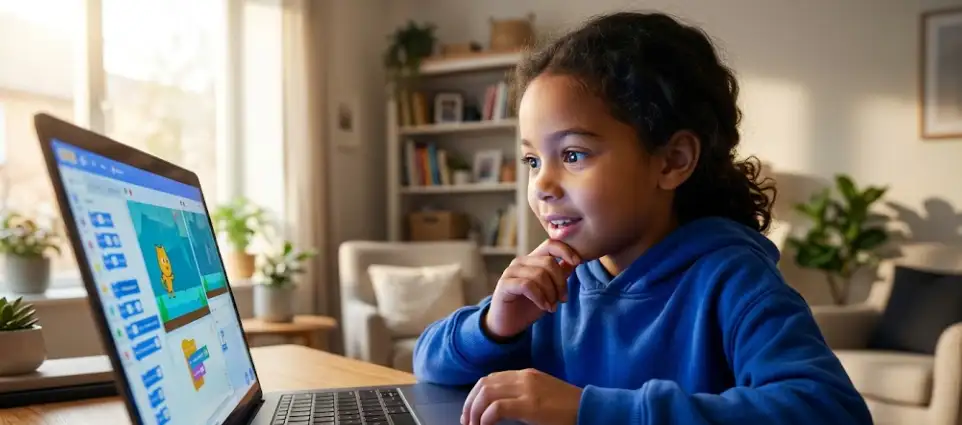
Children this age code without typing. They use block based tools like Scratch or ScratchJr, where they drag colourful blocks together to make a character move, jump, speak, or react. There is no syntax to memorise and no spelling to get wrong.
What a six year old can genuinely build in their first month: a simple animation where a character moves across the screen, a basic story with two characters talking, or a very simple catch the object game.
What they are actually learning: sequence, cause and effect, and the idea that instructions have order. These are the foundations of everything else in programming.
Signs a six or seven year old is ready: they can use a mouse or trackpad, they enjoy building things with blocks or Lego, and they can sit through a favourite activity for 15 minutes.
Ages 8 to 11: The transition stage
This is the sweet spot. Children in this range have enough reading ability, enough patience, and enough curiosity to move fast. They start in Scratch and often transition into Python within a few months.
What an eight to eleven year old can genuinely build: a working quiz game with a score counter, a maze game with levels, a simple chatbot, or an animated story with multiple scenes.
What they are learning: loops, conditionals, variables, and the beginning of logical decomposition. Breaking a big problem into smaller solvable pieces.
Signs a child in this range is ready: almost all of them are. If your child is between eight and eleven and shows any curiosity about games, apps, or how things work, they are ready. This is the age group where we most often hear parents say they wish they had started earlier.
Ages 12 to 14: The acceleration stage
Older children can move directly into text based programming, and they move fast. A motivated thirteen year old can go from zero to building a functional web application or a playable game in a matter of months.
What a twelve to fourteen year old can genuinely build: a personal website, a Python program that solves a real problem, a game with proper mechanics, an AI powered tool using accessible frameworks, or an automation script that saves them time.
What they are learning: proper programming logic, functions, data structures, debugging discipline, and increasingly, how to work alongside AI tools rather than being replaced by them.
Signs a teenager is ready: interest is the only real prerequisite. If they want to do it, they are ready. If they do not want to do it, no amount of curriculum design will fix that, and that is worth accepting honestly.
Is fifteen or sixteen too late?
No. This question comes up often and the answer is straightforward. Adults learn to code and change careers in their thirties and forties. A fifteen year old is not late. They are early. The idea that there is a closing window is a marketing story, not a reality of how learning works.
The 3 Signs That Actually Do Not Matter
This section matters more than the previous one, because these three beliefs stop more capable children from starting than anything else.
Myth 1: My child is not good at maths, so coding will be too hard
This is the most common concern parents raise and it is the one with the least evidence behind it.
Early coding is not mathematical. It is logical. When a child writes a program to make a character jump when the spacebar is pressed, they are not doing arithmetic. They are describing a rule: when this happens, do that.
Some children who struggle with maths in school do extremely well in coding, and there is a reason for this. School maths is often abstract and disconnected from any visible result. Coding gives immediate visual feedback. You change the number, the character moves faster, you see it happen. The abstraction becomes concrete.
We have seen children who described themselves as bad at maths build working games, and then, over the following months, become noticeably more confident with numbers because they finally had a reason to care about them.
Maths ability is not a prerequisite. It is often an outcome.
Myth 2: My child has never used a computer properly, so they need to learn that first
Basic familiarity helps. Deep familiarity is unnecessary.
If your child can move a mouse or use a trackpad, and can find and click things on a screen, that is enough to start with block based coding. Typing skill develops naturally over time and is not required at all in the early stages.
In fact, children who spend less time consuming content on screens often engage better with coding, because they arrive without the expectation that a screen is a place where things simply happen to you rather than a place where you make things happen.
Myth 3: My child gets frustrated and gives up easily, so coding will be a disaster
This one deserves a longer answer because it is genuinely the most reasonable concern on the list.
Coding does involve failure. Programs do not work on the first try. Something is always broken somewhere. If a child cannot tolerate any frustration at all, the early sessions can be difficult.
But here is what actually happens in practice, and it surprises parents.
Coding failure feels different from school failure. When a child gets a wrong answer on a maths test, the failure is final and personal. A red mark. A number that goes in a report. When a child’s code does not work, the failure is temporary and external. The program is broken, not the child. And crucially, it can be fixed in the next thirty seconds.
That distinction changes everything about how a child responds to being wrong.
We regularly work with children whose parents described them as easily frustrated, and who develop noticeably more resilience over three to four months. Not because we taught resilience directly, but because coding gave them hundreds of small, low stakes opportunities to fail and immediately recover.
The one thing that determines whether this works: whether the child has a real person guiding them in that moment of frustration. A recorded video cannot notice a child is stuck and about to give up. A live teacher can, and does.
What Genuine Readiness Actually Looks Like: The 7 Signs Explained
Now let us go deeper on the signs that do matter.
Sign 1: They ask how things work
This is the single strongest predictor we have observed. A child who asks how a video game knows when a character has been hit, or how a phone knows where you are, or why the internet stops working, has the exact instinct that coding rewards.
You do not need them to be asking technical questions. Curiosity about mechanics in any domain counts. A child who takes apart a toy to see inside it has the same instinct as a child who wonders how an app works.
Sign 2: They can focus for 15 to 20 minutes on something they enjoy
Notice the qualifier. Something they enjoy.
A child who cannot sit through homework but will spend forty minutes building something in Minecraft has more than enough attention span for coding. The question is not whether your child can focus. The question is whether they can focus when they are interested.
Almost every child can. The job of a good coding programme is to make sure the thing they are building is something they actually want to build.
Sign 3: They are comfortable with a computer at a basic level
Basic means basic. Can they use a mouse or trackpad. Can they click things. Can they follow a screen.
That is the whole requirement.
Sign 4: They enjoy building or making things
This is broader than it sounds. It includes Lego, drawing, craft, building things in Minecraft or Roblox, constructing forts out of furniture, or organising elaborate imaginary worlds.
Every one of these is the same underlying instinct: I want to make a thing that did not exist before. Coding is that instinct applied to software.
If your child has never shown any interest in making anything at all, that is worth thinking about. But most children have. It just may not look the way you expect.
Sign 5: They can follow a two or three step instruction
Not a ten step instruction. Two or three.
Go get your shoes, put them on, and meet me at the door. If your child can do that, they can follow the instructional pattern of an early coding session.
Sign 6: They show some tolerance for retrying
Some. Not infinite.
A child who tries a video game level twice before giving up has enough. A child who tries once and never returns to anything might need a gentler entry point, and that is a conversation to have with a teacher rather than a reason not to start.
Sign 7: They are interested in technology in any form
Games count. YouTube counts. Apps count. Wanting to make videos counts. Being fascinated by robots counts.
Parents often see this interest as a problem to be managed. It is more useful to see it as raw material. A child who loves playing games is a child who already cares about the medium. The shift from playing to building is a much shorter distance than the shift from indifference to building.
A Note on Neurodiverse Learners
Many parents of autistic children, children with ADHD, or children with other learning differences ask whether coding is suitable for their child.
In our experience, the answer is often yes, and sometimes emphatically so. Coding offers clear rules, predictable outcomes, immediate visual feedback, and no ambiguity about whether something worked. For many neurodiverse learners, that structure is a significant advantage over subjects where the rules feel unstated or social.
The important variable is not the child. It is the teaching format. Live one to one sessions allow the pace, the language, and the approach to adapt to the individual child in real time in a way that a recorded course or a group class simply cannot.
If this describes your situation, our inclusive programme is designed specifically around this, and we are happy to talk through whether it is a fit before you commit to anything.
How to Test Readiness Without Committing to Anything
Here is the most practical advice in this entire guide.
Do not try to decide this from the outside. You cannot reliably predict how your child will respond to coding by thinking about it. We have been consistently wrong when we tried to predict, and we do this professionally.
The children we expected to struggle sometimes take off immediately. The children who seemed like naturals sometimes need a different approach entirely. The only reliable way to find out is to let them try.
Three ways to test at home, for free, this week
Option one: Scratch, thirty minutes. Go to scratch.mit.edu, click Create, and sit with your child for thirty minutes. Do not teach. Just let them drag blocks around and see what happens. Watch their face. Are they curious or bored? That single observation tells you more than any readiness checklist.
Option two: Hour of Code. Code.org runs free guided one hour activities using characters from games your child probably already knows. Structured, self explanatory, and free.
Option three: A live trial session. The advantage of a live session over the two options above is that a teacher can watch how your child responds and tell you honestly what they observed. Where the child got stuck. What made them light up. Whether the pace was right. That is information you cannot get from a self guided activity.
Our free trial exists for exactly this reason. Your child builds something real in the first session, and afterwards we tell you honestly what we saw, including if we think they are not quite ready yet or would benefit from waiting six months. We would rather tell you that than enroll a child who is not going to enjoy it.
What Happens If You Start and It Does Not Work
This is the question parents are often too polite to ask, so let us answer it directly.
Sometimes a child starts and it does not click. It happens. The three most common reasons, and what each one actually means:
The project was not interesting to them. This is the most common cause and the easiest to fix. A child who is bored building a quiz game may be fully engaged building a game about their pet, their favourite sport, or a joke they find funny. The subject matters enormously to a nine year old. Change the project, and the engagement usually returns.
The pace was wrong. Too fast and they feel lost. Too slow and they feel patronised. In a group class this is very hard to correct because the pace is set by the group. In a one to one session it is corrected in the same lesson.
They genuinely are not interested right now. This does happen, and it is fine. A child who is not interested at eight is often deeply interested at eleven. Forcing it produces a child who associates coding with being made to do something, which is worse than waiting.
A good programme should be honest with you about which of these three is happening. If a provider tells you every child loves it and there are never any difficulties, that is a sales pitch, not an education.
Frequently Asked Questions
Is my 6 year old too young to start coding?
No. Six is a workable starting age using visual block based tools like ScratchJr or Scratch, where children build programs by dragging blocks rather than typing code. A six year old can build simple animations and basic games within their first month. The main requirement is that they can use a mouse or trackpad and can stay engaged with an activity they enjoy for around 15 minutes.
Does my child need to be good at maths to learn coding?
No. Early coding is logical rather than mathematical. Children build programs using sequences, rules and conditions rather than arithmetic. Many children who struggle with school maths do well in coding because the feedback is immediate and visual. Some become more confident with numbers over time as a result of coding, rather than needing that confidence beforehand.
What age is best to start coding?
Ages 8 to 11 is the most common sweet spot, because children in this range have enough reading ability, patience and curiosity to progress quickly. However, children as young as 6 can start with visual tools, and teenagers up to 16 and beyond can start from scratch and progress rapidly. There is no age at which it becomes too late.
How long before my child builds something real?
In a well designed live programme, the first session. Children should build something visible and working in their first hour, not spend weeks on theory before creating anything. If a programme does not produce a tangible output in the first few sessions, motivation typically drops.
Is coding still worth learning now that AI can write code?
Yes, and arguably more than before. AI tools generate code, but somebody has to know what to ask for, whether the output is correct, and how to fix it when it is not. Coding education for children has shifted from memorising syntax to building logical thinking, problem decomposition and the judgement to work alongside AI tools. Those skills transfer to almost every future career, including ones that are not technical.
My child has ADHD or autism. Will coding work for them?
Often yes. Coding offers clear rules, immediate visual feedback and unambiguous outcomes, which many neurodiverse learners find easier to engage with than subjects with unstated social or interpretive rules. The critical factor is the teaching format. Live one to one sessions allow the pace and approach to adapt in real time, which recorded courses and group classes cannot do.
How do I know if my child will actually enjoy it before I pay for anything?
Try it for free first. Sit with them for thirty minutes on Scratch or complete a free Hour of Code activity and watch how they respond. Better still, book a free live trial session where a teacher can observe how your child engages and give you honest feedback, including whether they think your child is ready or would benefit from starting later.
Is live coding better than a recorded course for children?
For most children under 14, yes. The critical moment in learning to code is when something breaks and the child does not know why. A live teacher notices that moment and intervenes. A recorded course cannot. This is why completion rates for live instruction are substantially higher than for self paced courses at this age group.
How many sessions per week should a child do?
Two sessions per week is the most common effective rhythm for children aged 8 to 14. One session per week works but progress is slower and children often forget context between lessons. Three or more can work for highly motivated children but risks becoming a chore rather than something they look forward to.
What if my child starts and then loses interest?
This is usually fixable rather than final. The most common causes are that the project was not interesting to them, or the pace was wrong. Both can be corrected in a one to one setting by changing the project or adjusting the pace. Occasionally a child genuinely is not interested at that moment, in which case waiting six to twelve months and revisiting is a better outcome than forcing it.
The Bottom Line
Most parents underestimate their child’s readiness and overestimate the prerequisites.
If your child is between six and fourteen, curious about how things work, and able to stay with something they enjoy for twenty minutes, they are ready. Not maybe ready. Ready.
The remaining question is not whether your child can learn to code. It is whether they get to learn it in a way that keeps them interested long enough to discover they are good at it.
That is the part that depends on how they are taught, not on who they are.
Want to find out where your child stands?
Book a free live session with ForSyntax. Your child builds something real in the first hour, and afterwards we will tell you honestly what we observed, including if we think waiting would serve them better. No pressure and no obligation.
